
RCI Help
How do I recover my username or password?
If you can’t remember your username or password, don’t worry! It’s easy to recover it. Just follow these steps.
Reset your RCI password:
Step 1:
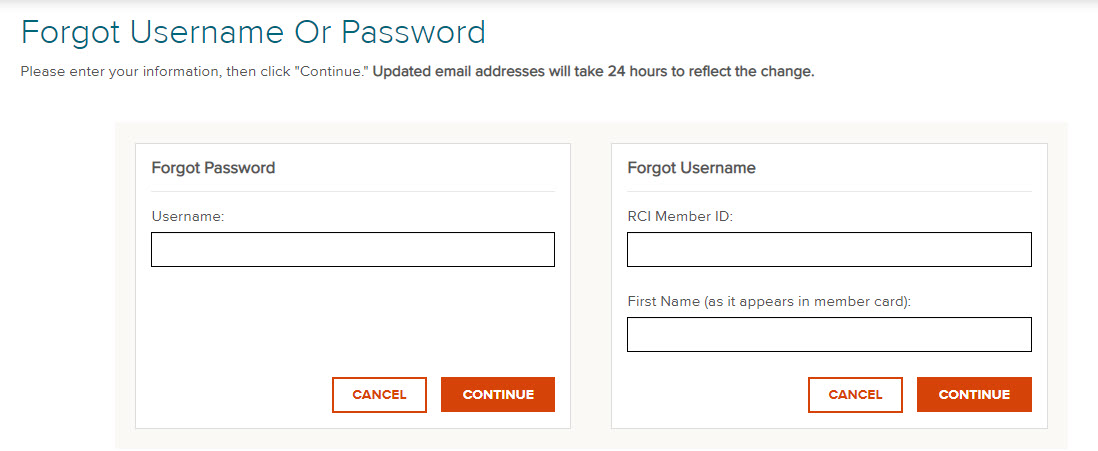
Click Forgot Username or Password? on the sign-in screen.
Step 2:
Enter the email address associated with your RCI account and click CONTINUE.
Step 3:
We'll email a reset link, usually within 5 minutes.
Recover your username:
Step 1:
Click Forgot Username or Password? on the sign-in screen.
Step 2:
Enter the email address associated with your RCI account and click CONTINUE.
Step 3:
We'll email your username to the address on file.
TROUBLESHOOTING
If you don't receive the email:
Check your Spam/Junk folder; confirm the email matches the one on your account (older accounts sometimes use an address that's no longer accessible — if so, contact Member Services); add RCI to your "safe senders" list and retry. If there's still nothing after 15 minutes, contact Member Services for assistance.
If your account is locked:
After multiple failed attempts, your account may lock. Resetting your password won't unlock it. Please contact Member Services for assistance.
Search Help Center
Still have questions?
We’ve got it covered.

Speak with a Travel Guide
RCI Weeks®
RCI Points®
Monday-Friday 8am-8pm
Saturday 8am-5pm
Closed on Sunday; holiday hours vary
